
How do I put my subscription on hold?Updated a month ago
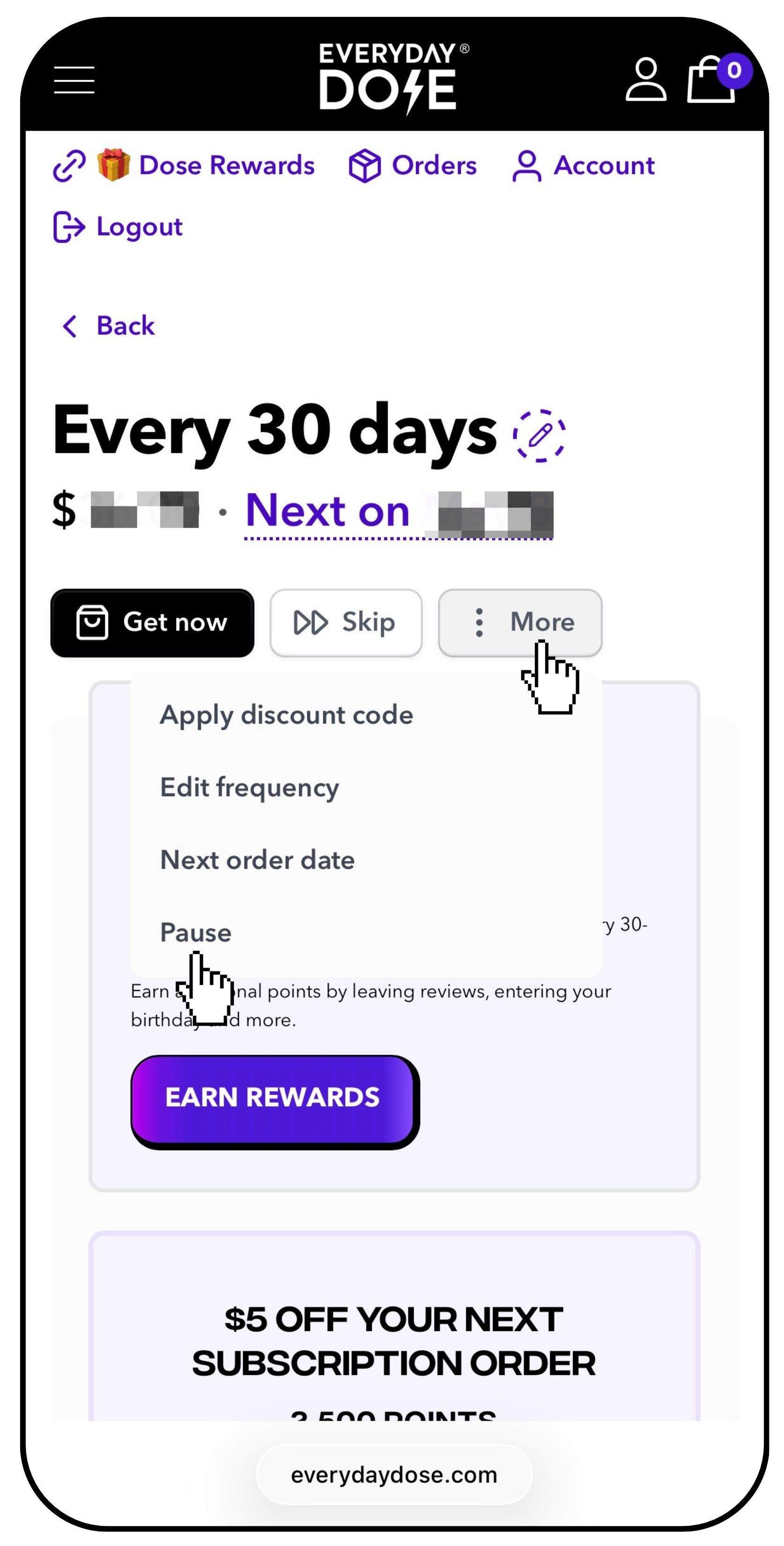
Log in to your Customer Portal, open the subscription you’d like to manage, click the More button, and select Pause.
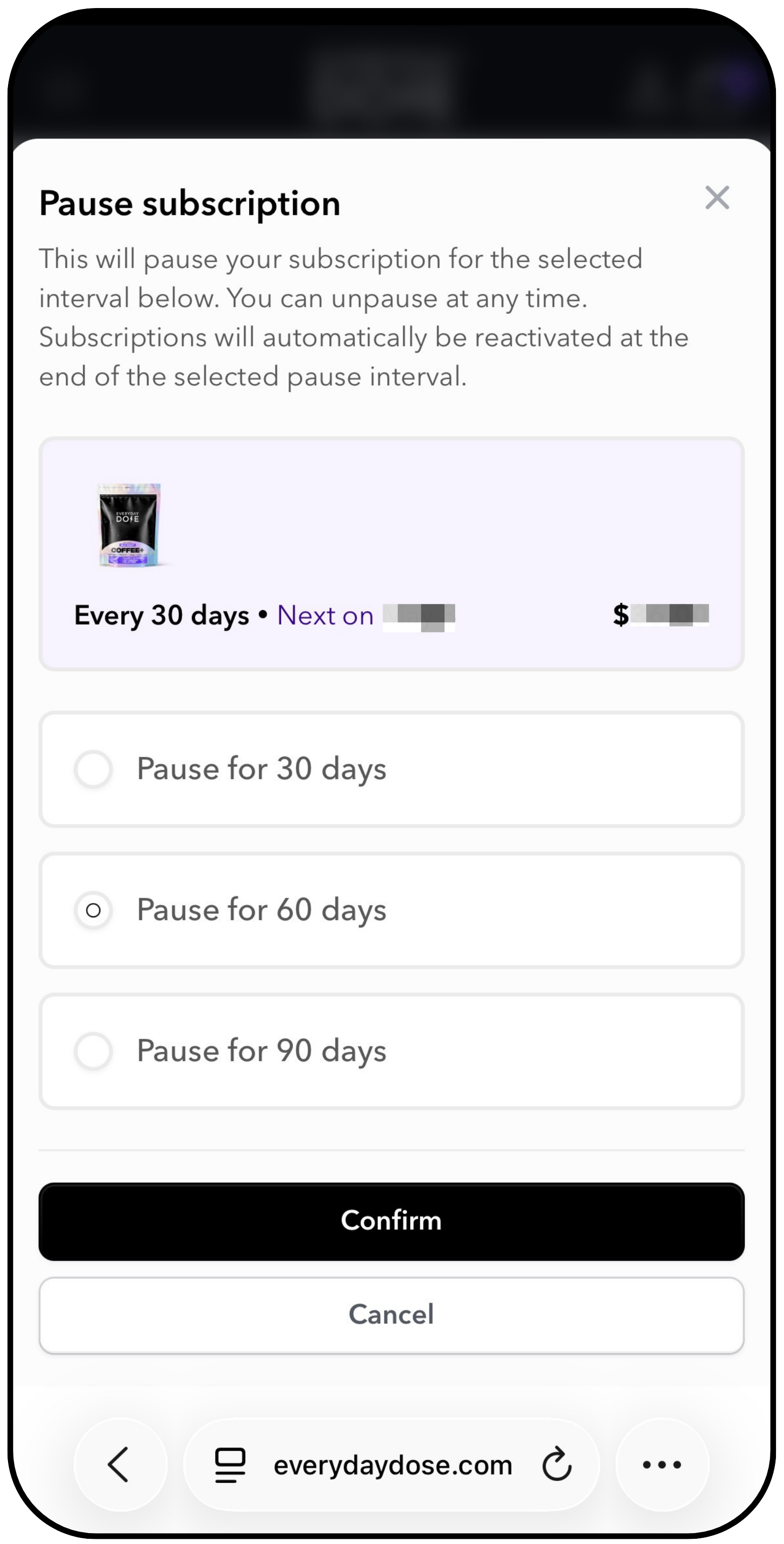
From there, you can choose to pause your subscription for 30, 60, or 90 days.
Still need help?
Our team is happy to assist you.
Can I put subscription on hold, I need to stop, adjust my order, stop delivery i still have product, stop recurring order, pause subscription, put subscription on hold