
How do I change my shipping frequency?Updated 4 hours ago
You can update how often you receive your orders at any time through your account.
Log in to your account, click the "More" button and select "Edit Frequency".
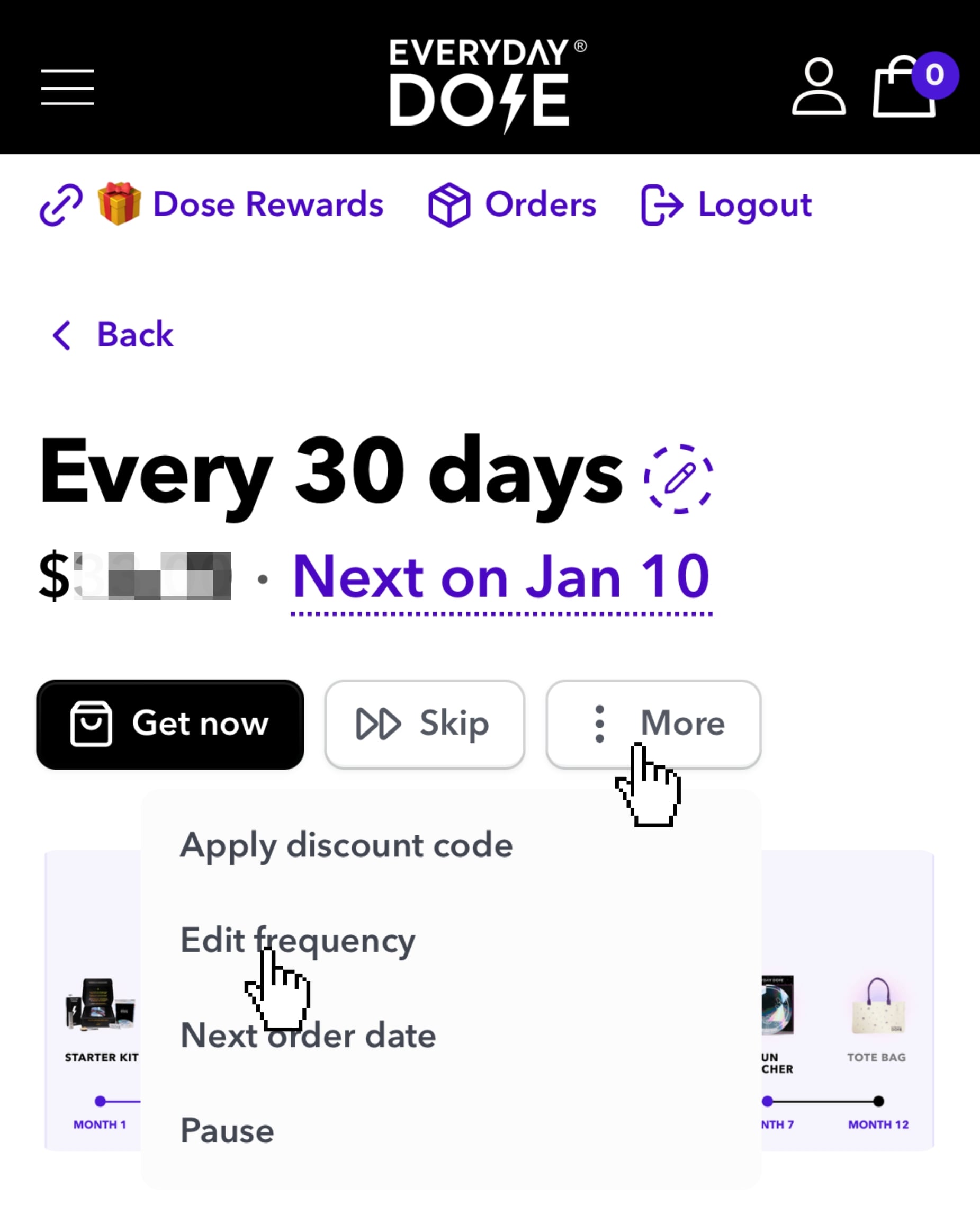
The schedule is up to you. You can choose to receive it every 30, 60, or 90 days, or even on a specific day of the month.
📌 Just be sure to select the next order date if you want to shift your schedule, if not, the same billing date will remain.
Still need help?
Our team is happy to assist you.
Other ways to find this article
change shipping frequency, change delivery frequency, edit frequency, how often should I receive my order, update subscription frequency, adjust delivery schedule, change how often I get my order, change shipping schedule, how to change delivery time between orders, change shipping time, changes to shipping time, custom interval subscription, set delivery every, request shipments to ship every, how to request shipments to ship every, change billing frequency, modify subscription schedule, adjust my order, can I put subscription on hold, change autodelivery, changing autodelivery, stop delivery i still have product, how to change shipping time, how to change shipping time in between orders, I want my order to ship every