
How do I cancel my subscription?Updated a month ago
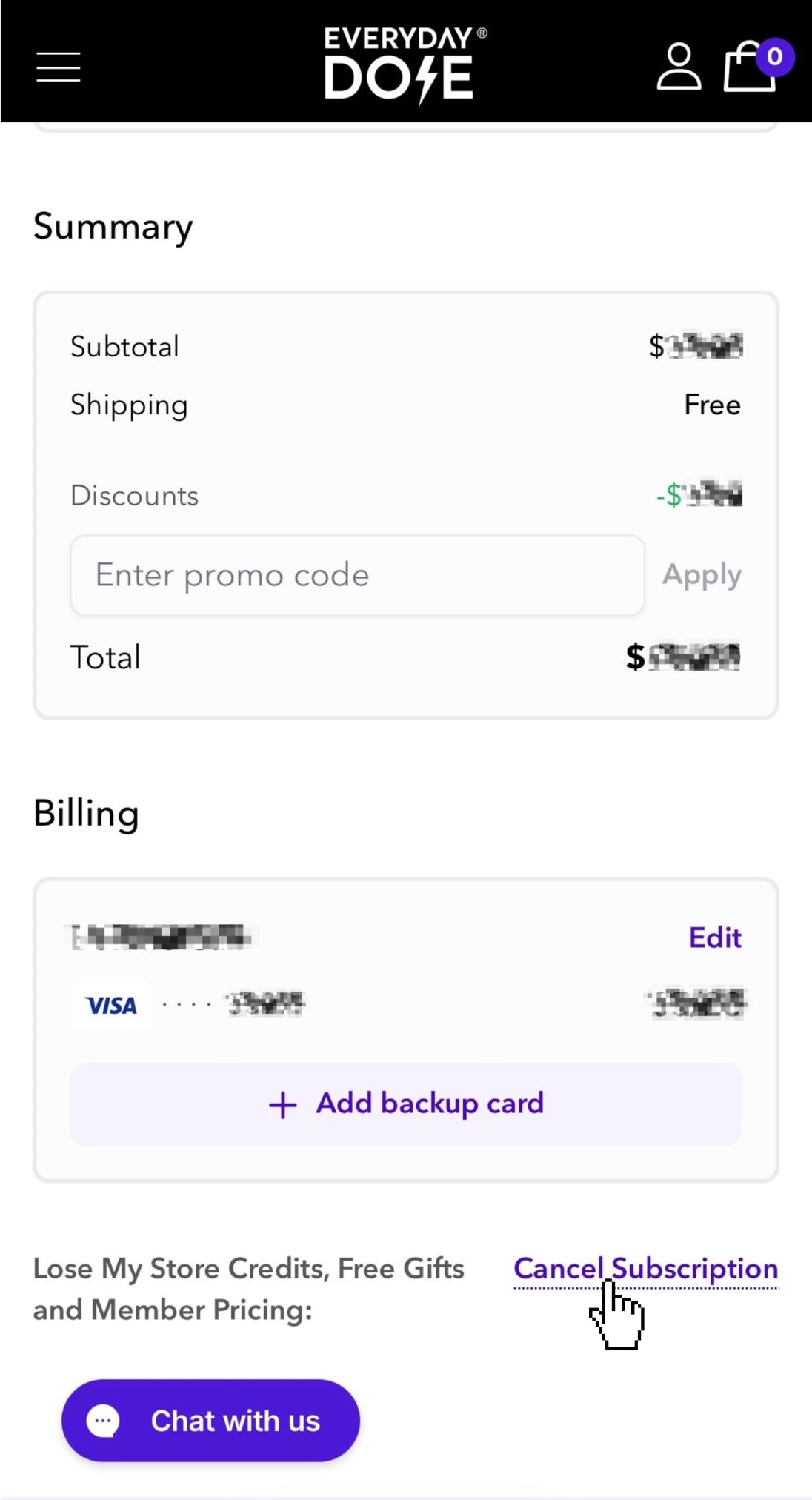
To cancel your subscription
Log in to your Everyday Dose account
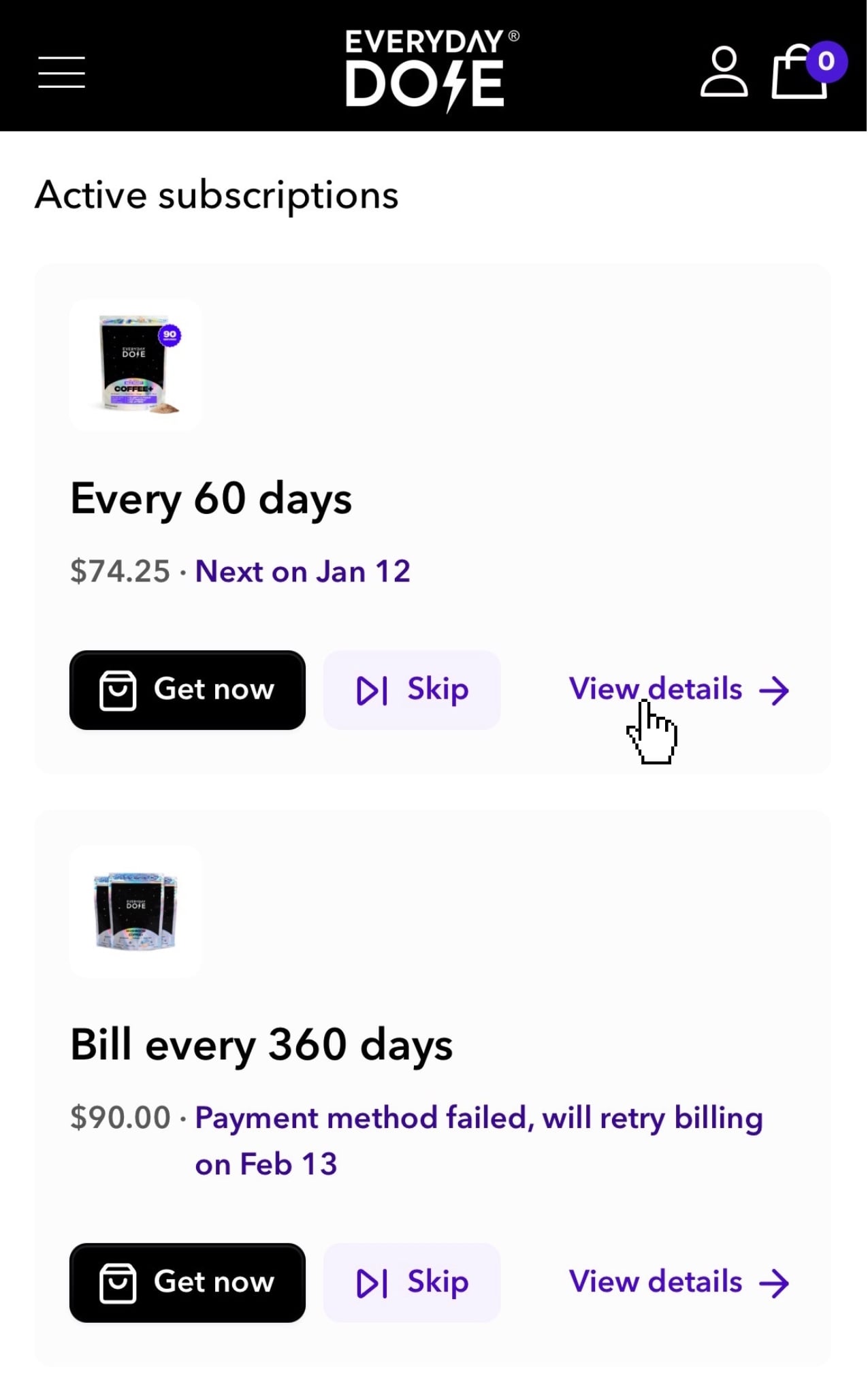
Open the subscription you’d like to manage
Scroll down to the 'Billing' section
Click 'Cancel Subscription'
If you have more than one active subscription, first click 'View details' on the one you'd like to cancel.
What happens after I cancel?
After you cancel, you may be offered the option to delay your next order if it sounds like you simply have too much product right now and would benefit from a short pause rather than a full cancellation.
If you'd still like to cancel, just click "Cancel Subscription" again and your subscription will be canceled immediately.
Once canceled, you won't be charged again unless you choose to reactivate your subscription in the future.
If you need help canceling your subscription, please contact us here.
Contact SupportOur team is happy to assist you.
Prefer chat? Tap the purple Chat with us button at the bottom-left of your screen.
cancel subscription, subscription cancellation, stop subscription, unsubscribe, end membership, stop recurring order, cancel auto-delivery, skip future orders, stop auto-ship, request shipments to stop, stop delivery, close account, stop deliveries, how to cancel, canceling, cancelation, cancellation, cancel my membership, cancel my auto subscription, decline automatic refill, call to cancel, cancel annual subscription, im moving, delete account, I need to stop, cancel policy, cancel now